AI landing page templates for Next.js
11 Next.js landing page templates for AI products: agent platforms, research and writing tools, support agents, assistants, creative apps, coding tools and AI SaaS. Each is a standalone Next.js 16 project with one config file, a live demo and a commercial license. Index and Relay are free with an account; the rest are $39 each, or all 39 templates in the library for $99.
- AI templates
- 11
- free with an account
- 2
- Tailwind v4 / plain CSS
- 8 / 3
- median mobile Lighthouse score
- 97
Updated October 16, 2026. Figures on this page are counted from the templates themselves or measured by us; the speed section says how.
01Choose
Which AI template fits what you’re building?
Start from your product. Each line says why to pick the template and what it leaves out.
An AI agent platform or workflow product
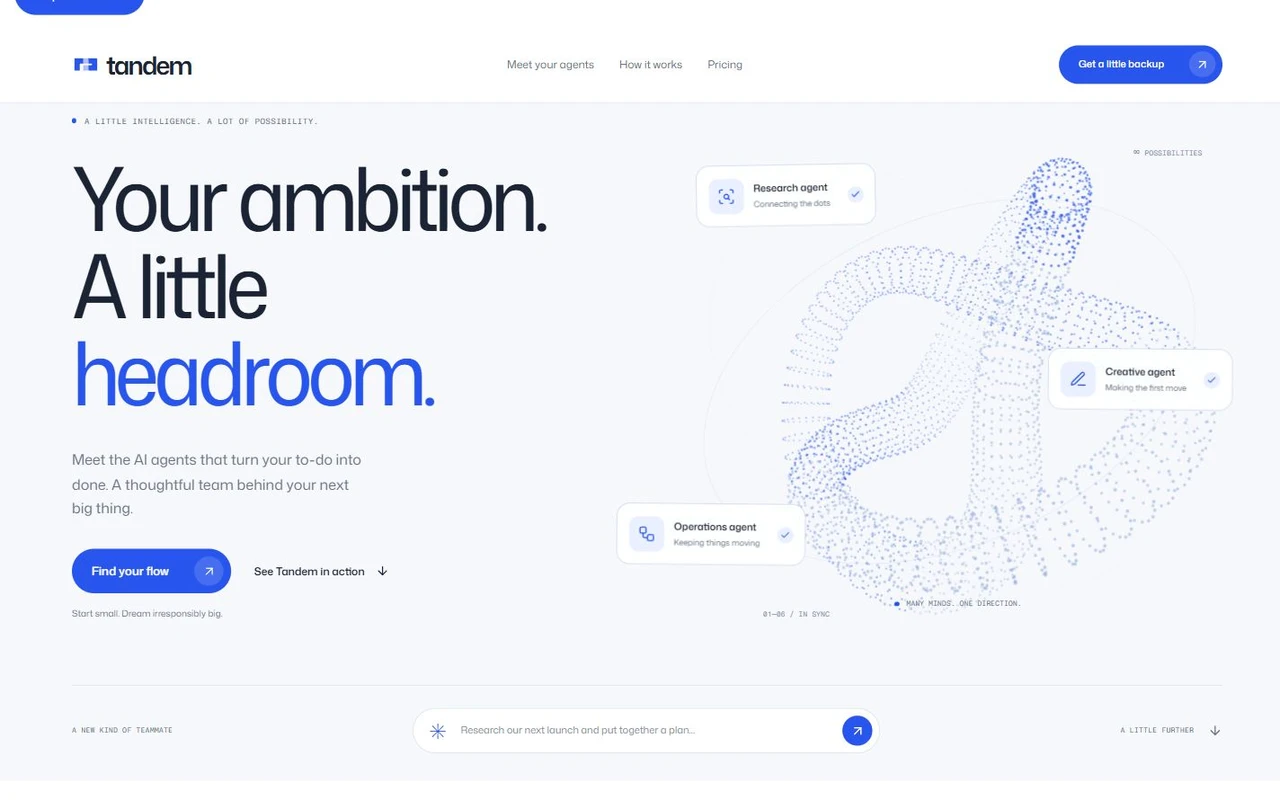
Tandem · $39
Pick it if: Human approval is part of what you sell. It has a Human control section, six specialist agent cards, a workflow section and team tabs, with a cursor-following point sculpture in the hero.
Skip it if: You want a dark page: it ships in light mode.
An automation or workflow orchestration platform
Conduit · $39
Pick it if: You want the page to show the product working. The hero is a live route board that plays blueprints, a policy section shows what the agent may do, and there are dedicated pricing, contact and resource pages.
Skip it if: You want a one-page site: it is a multi-page kit with 61 files, so there is more to edit.
An infrastructure, security or AI operations product
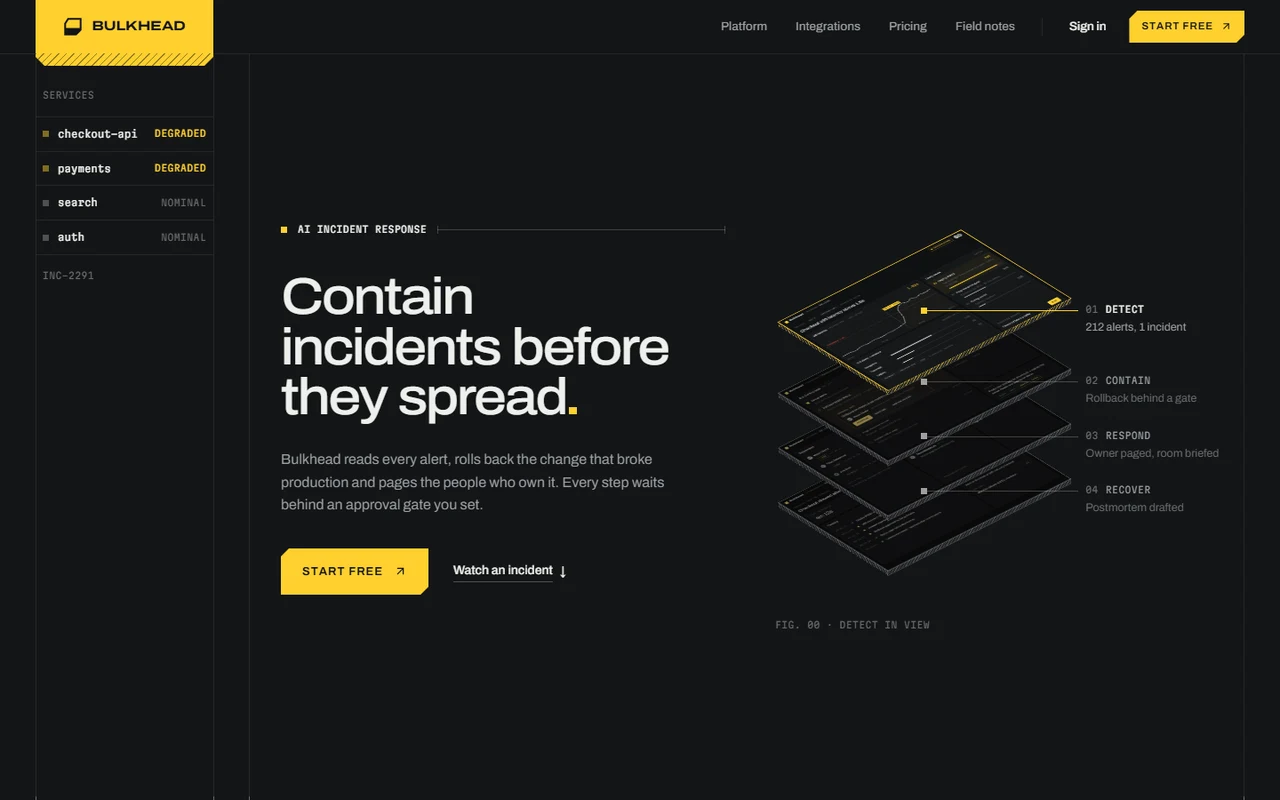
Bulkhead · $39
Pick it if: You sell to engineers and want a precise, dark, engineered look: an incident-playback section that pins while you scroll, a runbook that stops at an approval gate, and 13 sections in all.
Skip it if: You want a light, friendly page.
A research, knowledge or writing tool
Index · Free
Pick it if: A warm editorial page whose hero is a source-to-answer scene with three selectable topics, followed by a scroll-led product story. It is free with an account.
Skip it if: You want customer quotes on the page: it has no quotes section, so bring your own proof.
An AI writing or research tool
Footnote · $39
Pick it if: A dark, serif, editorial page built around citations: the same paragraph written with and without numbered footnotes, an annotated method and a proof ledger. 19 files, so it is quick to adapt.
Skip it if: You need a pricing section: it goes from proof to FAQ to an email sign-up.
An AI support agent or chatbot
Parley · $39
Pick it if: The hero is a support chat that ends with a refund issued, the comparison is a transcript you can switch between a classic chatbot and your product, and the FAQ is written as a conversation.
Skip it if: You want a conventional feature grid.
A personal assistant or browser companion
Relay · Free
Pick it if: A readable example conversation in the hero, a working workspace with replay and text exports, and two plans in a shared ledger. It is free with an account.
Skip it if: You need more than two plans.
An AI image, avatar or creative app
Prism · $39
Pick it if: A dark page with an interactive workspace: editable prompts, six original artworks with filters, and real image downloads. Three themes and two hero layouts are included.
Skip it if: You have no visuals to show: the page leans on artwork.
An AI coding tool, builder or component product
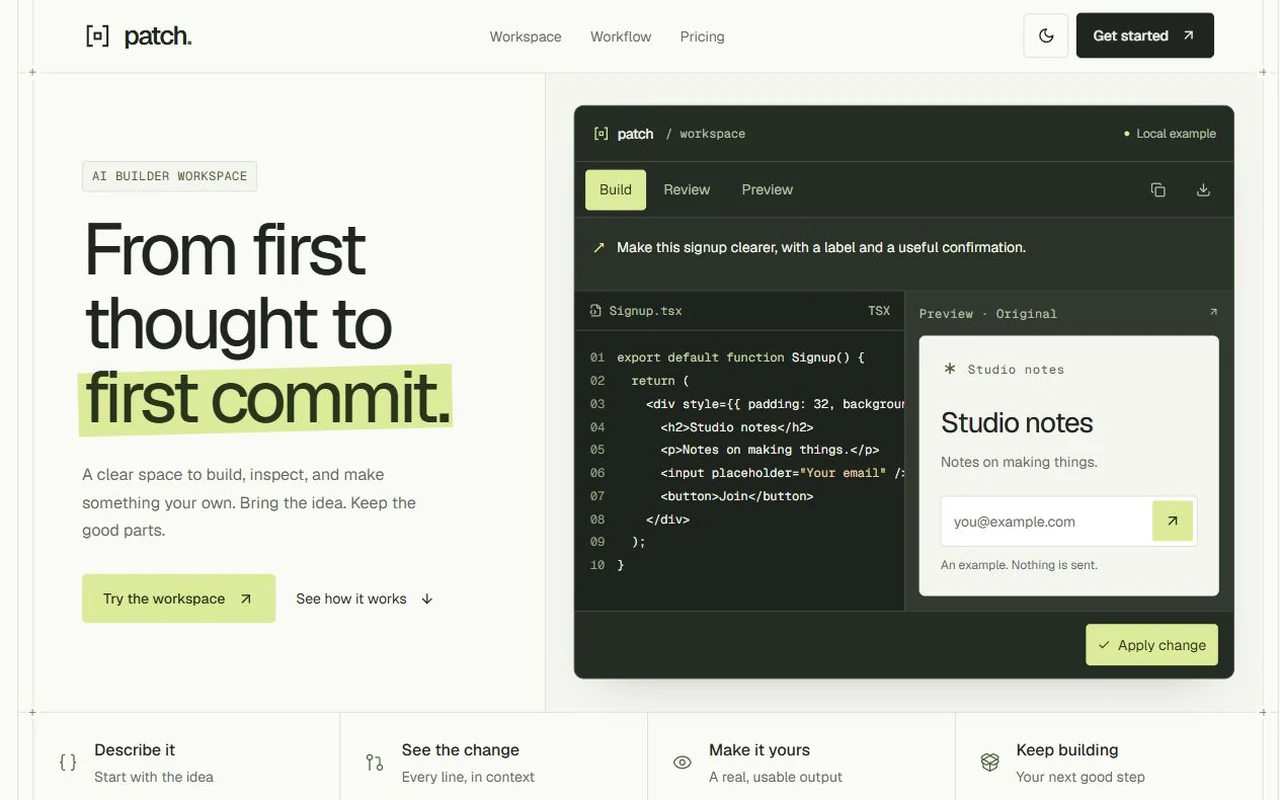
Patch · $39
Pick it if: A code-and-output workspace with Apply and Undo, code review, clipboard copy and downloadable TSX files, in two complete appearances.
Skip it if: Your product is not for developers.
A general AI or SaaS product
Emberline · $39
Pick it if: The conventional structure done well, in a dark grid-framed layout: logo strip, bento features, a comparison table, how it works, testimonials, a monthly and yearly pricing toggle and FAQ. 25 files.
Skip it if: You want a working example in the hero: the hero is a dashboard mockup.
An AI marketing, analytics or reporting product
Daybreak · $39
Pick it if: Working local examples: campaign reviews, a day picker that opens a small interface for each day, and an access panel with an approval rule. Light, with Inter and painted landscapes, plus contact and resource pages.
Skip it if: You want something small: it is the largest in this set, with 76 files and about 7,495 lines.
02Compare
The templates side by side
Counted from each template’s source. Lighthouse figures are the median of 5 runs; see the speed section.
| Template | Built for | Theme | Styling | Sections | Lines | Mobile | LCP | Price |
|---|---|---|---|---|---|---|---|---|
| Tandem | AI agent platforms and workflow products | Light | Tailwind v4 | 11 | 5,709 | 87 | 3.4 s | $39 |
| Conduit | AI agent and automation platforms | Light | Plain CSS | 10 | 5,358 | 97 | 2.4 s | $39 |
| Bulkhead | Developer tools, infrastructure, security and AI operations products | Dark | Tailwind v4 | 13 | 6,593 | 86 | 4.0 s | $39 |
| Index | AI research and search products | Light | Plain CSS | 9 | 4,252 | 100 | 1.5 s | Free |
| Footnote | AI writing tools | Dark | Tailwind v4 | 8 | 1,332 | 100 | 1.2 s | $39 |
| Parley | AI support agents | Light | Tailwind v4 | 8 | 1,254 | 100 | 1.4 s | $39 |
| Relay | Personal AI assistants | Light | Tailwind v4 | 9 | 2,345 | 100 | 1.5 s | Free |
| Prism | AI image and avatar apps | Dark | Tailwind v4 | 10 | 5,753 | 88 | 3.7 s | $39 |
| Patch | AI coding and builder tools | Light | Tailwind v4 | 10 | 5,688 | 100 | 1.3 s | $39 |
| Emberline | AI products | Dark | Tailwind v4 | 10 | 2,124 | 90 | 3.1 s | $39 |
| Daybreak | AI marketing and campaign platforms | Light | Plain CSS | 8 | 7,495 | 83 | 4.7 s | $39 |
4 of the 11 are dark (Bulkhead, Footnote, Prism and Emberline); the rest are light. “Built for” is the first of the audiences listed on each template’s page.
03Patterns
What an AI product page contains
Counted across these 11 templates, by looking for a section with the name. It describes our own templates, not the whole web.
Pricing10 of 11
Plans on the page, so the visitor can decide without a sales call.
No section named this: Footnote. Footnote goes from proof to FAQ to an email sign-up.
FAQ10 of 11
Answers to the objections that stop people signing up.
No section named this: Daybreak. Daybreak has an FAQ too, on its separate pricing page.
Customer proof7 of 11
Quotes, results or stories.
No section named this: Tandem, Index, Relay, Patch.
Integrations3 of 11
The tools the product connects to.
No section named this: Conduit, Index, Footnote, Parley, Relay, Prism, Patch, Emberline.
Control and approval3 of 11
What the agent may do, and who approves it.
No section named this: Bulkhead, Index, Footnote, Parley, Relay, Prism, Patch, Emberline.
A working example in the first screen8 of 11
The visitor can do something before scrolling: Tandem has a prompt strip and three specialist cards; Conduit has a live route board; Index has a research scene with three selectable topics; Parley has a support chat; Relay has an example conversation with three selectable examples; Prism has a workspace with editable prompts; Patch has Build, Review and Preview workspace views; Daybreak has an editable question that opens a campaign report.
Pricing and an FAQ appear on almost every page here, so a buyer’s first questions are answered without leaving it. The sections that vary depend on what is sold. The three that give permissions or approval a section of their own are Tandem, Conduit and Daybreak, which sell agents and workspaces to teams; Index, Relay, Prism and Patch, which are aimed at individuals and builders, lead with a working example instead.
04Speed
How fast the demos load
Lighthouse, mobile profile, median of 5 runs, measured October 16, 2026.
The median performance score is 97, from 83 to 100. 6 of 11 reached a Largest Contentful Paint of 2.5 seconds or less, which Lighthouse rates good; 11 of 11 stayed under 200 ms of blocking time and 11 of 11 under 0.1 of layout shift. The fastest to paint its main content was Footnote at 1.2 s; the slowest was Daybreak at 4.7 s. Accessibility scored at least 89 and SEO scored 100 on every page.
| Template | Performance | Accessibility | Best practices | SEO | LCP | TBT | CLS | Transferred | Runs |
|---|---|---|---|---|---|---|---|---|---|
| Index | 100 | 96 | 100 | 100 | 1.5 s | 15 ms | 0 | 165 kB | 100 / 100 / 100 / 100 / 100 |
| Footnote | 100 | 100 | 96 | 100 | 1.2 s | 43 ms | 0 | 440 kB | 79 / 79 / 100 / 100 / 100 |
| Parley | 100 | 100 | 96 | 100 | 1.4 s | 68 ms | 0.014 | 452 kB | 78 / 100 / 100 / 100 / 100 |
| Relay | 100 | 100 | 100 | 100 | 1.5 s | 44 ms | 0 | 178 kB | 100 / 100 / 100 / 100 / 100 |
| Patch | 100 | 99 | 100 | 100 | 1.3 s | 32 ms | 0 | 171 kB | 100 / 100 / 100 / 100 / 100 |
| Conduit | 97 | 94 | 100 | 100 | 2.4 s | 19 ms | 0.002 | 271 kB | 96 / 97 / 97 / 100 / 100 |
| Emberline | 90 | 96 | 96 | 100 | 3.1 s | 53 ms | 0 | 204 kB | 90 / 90 / 90 / 91 / 91 |
| Prism | 88 | 100 | 100 | 100 | 3.7 s | 45 ms | 0.002 | 530 kB | 86 / 88 / 88 / 88 / 88 |
| Tandem | 87 | 97 | 100 | 100 | 3.4 s | 174 ms | 0 | 510 kB | 86 / 87 / 87 / 90 / 91 |
| Bulkhead | 86 | 89 | 100 | 100 | 4.0 s | 19 ms | 0 | 611 kB | 86 / 86 / 86 / 86 / 87 |
| Daybreak | 83 | 92 | 100 | 100 | 4.7 s | 24 ms | 0 | 861 kB | 82 / 83 / 83 / 83 / 96 |
How it was measured
Each template’s static demo export was served from a local server that compresses text the way a real host does, and loaded in headless Chromium 155.0.0.0 with Lighthouse 12.8.2 and its default mobile profile: an emulated mid-range phone on a simulated slow 4G connection with a 4x CPU slowdown. We ran each 5 times and kept the median run. The script is in the repository as scripts/template-lighthouse.mjs.
What it does not tell you
These are lab numbers, not what your visitors will see. Your host, your own images and any scripts you add change them, and real Core Web Vitals only come from real traffic. Scores moved by up to 22 points between runs of the same page, so differences of a few points mean nothing. Parley (78 to 100), Footnote (79 to 100) and Daybreak (82 to 96) varied the most, so read their scores as a range. The mobile profile is deliberately harsh: it is a way to compare pages, not a prediction.
05Browse
All 11 AI templates
Hover a card to scroll the whole page. Each opens its page with the live demo.
 Pro
ProTandem
$39Light-mode AI agent and workflow landing page
 Pro
ProConduit
$39AI agent and workflow platform landing page
 Pro
ProBulkhead
$39Motion-led AI incident response landing page
 Free
FreeIndex
FreeAI research and knowledge workspace landing page
 Pro
ProFootnote
$39AI writing tool landing page
 Pro
ProParley
$39AI support agent landing page
 Free
FreeRelay
FreePersonal assistant and AI companion landing page
 Pro
ProPrism
$39AI creative app landing page
 Pro
ProPatch
$39AI builder and developer tool landing page
 Pro
ProEmberline
$39AI SaaS landing page
 Pro
ProDaybreak
$39AI marketing and analytics workspace landing page
06Make it yours
What you edit, and what you get
From Tandem’s site.config.ts. The other AI templates keep their copy and destinations in the same kind of file.
- The project. A Next.js app with its components, styles and optimised images. Run
npm installandnpm run dev. - A README. How to run, edit and deploy it, and where each colour, font and section lives.
- ASSETS.md. Where each image and font comes from, so you can show provenance.
- A license. The commercial terms, in the download as LICENSE.md.
- A content check. A small script you can run after editing copy.
- Before you go live. Replace the made-up brand, customers and quotes, and connect your own sign-up, billing and product. The demos’ interactive parts run on sample data.
07Questions
Before you choose
Which AI landing page template should I choose?
Match the template to what you sell: Tandem or Conduit for an agent or workflow platform, Bulkhead for AI operations and infrastructure, Index for research and knowledge tools, Footnote for writing tools, Parley for support agents, Relay for personal assistants, Prism for creative apps, Patch for coding tools, Emberline for a general AI SaaS and Daybreak for marketing and analytics. The guide above says what each one has and what it leaves out.
Do these templates include the AI product itself?
No. They are landing pages. The chats, workspaces and reports in the demos run on sample data in the browser so a visitor can try them. Replace them with your own product, a screenshot or a video, and connect your sign-up, billing and any real AI service yourself. Each template page lists what to connect before launch.
Do they use Tailwind CSS?
8 of the 11 use Tailwind CSS v4 and 3 use plain CSS with design tokens. All of them are standalone Next.js 16, React 19 and TypeScript projects, so you can edit them without a design system or a UI library.
Can I use them for client projects?
Yes. Every purchase includes a commercial license for your own products and any number of client projects. You can change the code and design however you like. You cannot resell or share the template files as a template, theme or UI kit. The full text is on the license page.
How much do they cost?
Index and Relay are free with an account. The other 9 are $39 each, one time, or you can get all 39 templates in the library for $99. There is a 14-day money-back guarantee on paid templates.
How do I put my own words and links in?
Copy, links, plans and questions live in one site.config.ts at the root of each template, and the README explains the colours, fonts and section order. Most changes are text edits there.
How fast are they?
On Lighthouse’s mobile profile the demos scored a median of 97 for performance, between 83 and 100. 6 of 11 reached the Largest Contentful Paint that Lighthouse rates good, 2.5 seconds, on its simulated slow connection. The speed section has every figure and how it was measured.